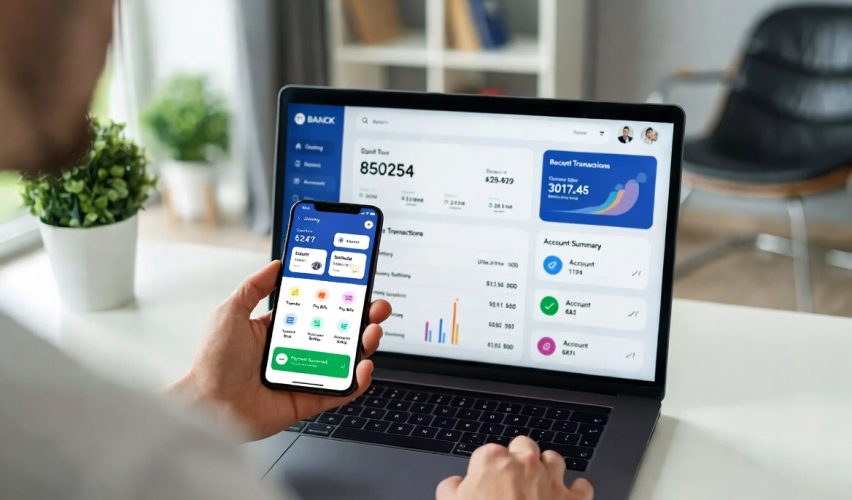
Online banks offer higher interest rates, lower fees, and better tools than traditional banks — but only if you use them strategically. Here is how to set up a digital banking system that earns more, costs less, and works seamlessly with your financial life.
Why Online Banks Pay More and Charge Less
Traditional banks have massive overhead: physical branches, tellers, security, real estate, and utilities. The average branch costs $2 to $4 million per year to operate. Online banks eliminate most of this overhead, and they pass the savings to customers through higher interest rates and lower (or zero) fees.
The difference is dramatic. A typical brick-and-mortar bank savings account pays 0.01 to 0.10 percent interest. Online banks currently pay 4.00 to 5.00 percent — that is 40 to 500 times more. On a $10,000 savings balance, a traditional bank pays $1 to $10 per year in interest. An online bank pays $400 to $500. Same money, same FDIC insurance, vastly different returns.
Fees follow the same pattern. Most online banks charge zero for checking accounts, zero for savings accounts, zero for transfers, and zero for basic services that traditional banks charge $5 to $15 per month for. No minimum balance requirements, no monthly maintenance fees, no paper statement fees. The fee savings alone can be $60 to $180 per year.
Setting Up a Multi-Bank System
The optimal digital banking setup uses multiple accounts for different purposes. This is not complicated — it takes about 30 minutes to set up and runs on autopilot after that.
Primary checking (online or local): This is your hub account where your paycheck deposits and bills get paid. Choose a bank with good mobile deposit, strong bill pay features, and a wide ATM network. Ally, Schwab, Capital One 360, and local credit unions are all strong options.
High-yield savings (online): A separate online savings account for your emergency fund and savings goals. The separation from checking creates helpful friction — you cannot impulsively spend money that requires a one to two day transfer to access. Marcus, Ally, Discover, and Synchrony consistently offer top rates.
Sinking fund savings (optional second savings): Some people keep a separate savings account for irregular expenses (holidays, car maintenance, medical) to avoid confusion with their emergency fund. Many online banks let you create multiple savings accounts with custom names, making this easy to manage.
- Primary checking — bill pay, debit card, direct deposit hub
- High-yield savings — emergency fund, 4-5% interest
- Sinking fund — seasonal expenses, separate from emergency fund
- Set up automatic transfers between accounts on payday
- Ensure all accounts are FDIC insured (up to $250,000 each)
Making Mobile Deposits Work
Mobile check deposit lets you deposit checks by photographing them with your phone. Most online banks process mobile deposits within one business day. Tips for smooth mobile deposits: use good lighting, place the check on a dark background, hold the phone steady, and ensure all four corners of the check are visible. Sign the back of the check and write “For Mobile Deposit Only” and your account number.
Keep the physical check for at least 30 days after the deposit clears, in case of any disputes. After 30 days, securely shred it. Never deposit the same check through both mobile deposit and ATM deposit — this can flag your account for fraud.
ATM access with online banks: The biggest concern about online banks is ATM access. Solutions: Schwab reimburses all ATM fees worldwide (the best option if you travel). Ally is part of the Allpoint network (55,000+ fee-free ATMs). Capital One has its own ATM network and cafe locations. Get cash back at grocery stores and retail checkouts for free. Most people need far less cash than they think — track your cash usage before assuming an online bank will not work for you.
Security Best Practices
Digital banking is safe when you take basic precautions. Online banks use the same encryption and security protocols as traditional banks, and all legitimate online banks are FDIC insured. However, the digital nature of the accounts requires you to be diligent about security.
Enable two-factor authentication. Every bank account should require a second verification step beyond your password. Use an authenticator app rather than SMS when possible.
Use unique, strong passwords. Your bank password should be different from every other password you use. A password manager generates and stores complex passwords so you do not have to remember them.
Set up account alerts. Enable notifications for all transactions above a certain amount ($0 if possible), login attempts from new devices, password changes, and large transfers. Immediate notification of unauthorized activity lets you respond before significant damage occurs.
Only access banking on secure networks. Never log into bank accounts on public WiFi (coffee shops, airports, hotels) without a VPN. Use your phone’s cellular data instead — it is inherently more secure than public WiFi.
Monitor accounts regularly. Check your accounts at least weekly. The sooner you spot unauthorized activity, the easier it is to resolve. Most banks have zero-liability policies for unauthorized transactions reported promptly.
Maximizing Digital Banking Features
Bill pay: Most online banks offer free bill pay that lets you schedule one-time or recurring payments to anyone. This eliminates the need for paper checks and ensures bills are paid on time. Set up autopay for all fixed bills and use manual bill pay for variable bills when you receive them.
Budgeting tools: Many banking apps now include built-in spending categorization, spending trends, and savings goals. Ally’s “buckets,” Capital One’s spending tracker, and Chime’s automatic savings features provide budgeting functionality without needing a separate app.
Early direct deposit: Some online banks (Chime, Varo, SoFi) offer direct deposit up to two days early. This is not a loan — your employer sends the direct deposit file a few days before payday, and these banks make the funds available immediately rather than waiting for the official date. Useful for aligning bill payments with income timing.
Round-up savings: Several banks automatically round up debit card purchases to the nearest dollar and transfer the difference to savings. A $4.30 coffee rounds up to $5.00, saving $0.70 automatically. Over a month with 60 transactions, this adds $15 to $40 to savings without any effort.
When You Still Need a Traditional Bank
Online banks do not work for everything. You may want a local bank or credit union for: safe deposit boxes, notary services, cashier’s checks or money orders, in-person assistance with complex account issues, and cash-heavy businesses that need to make frequent deposits. Many people maintain a local credit union account alongside their online bank for these occasional needs.
Open a high-yield savings account today and move your emergency fund
It takes 10 minutes to open, and your money starts earning 4-5% instead of 0.01% immediately.
Finance Helper Hub may receive compensation when you click links on this page. All information is for educational purposes only and does not constitute financial, legal, or tax advice. Consult a qualified professional before making financial decisions.

Get Free Financial Tips Delivered to Your Inbox
Join thousands of readers learning to take control of their money. No spam, unsubscribe anytime.
We respect your privacy. Read our Privacy Policy.